Stages you name yourself
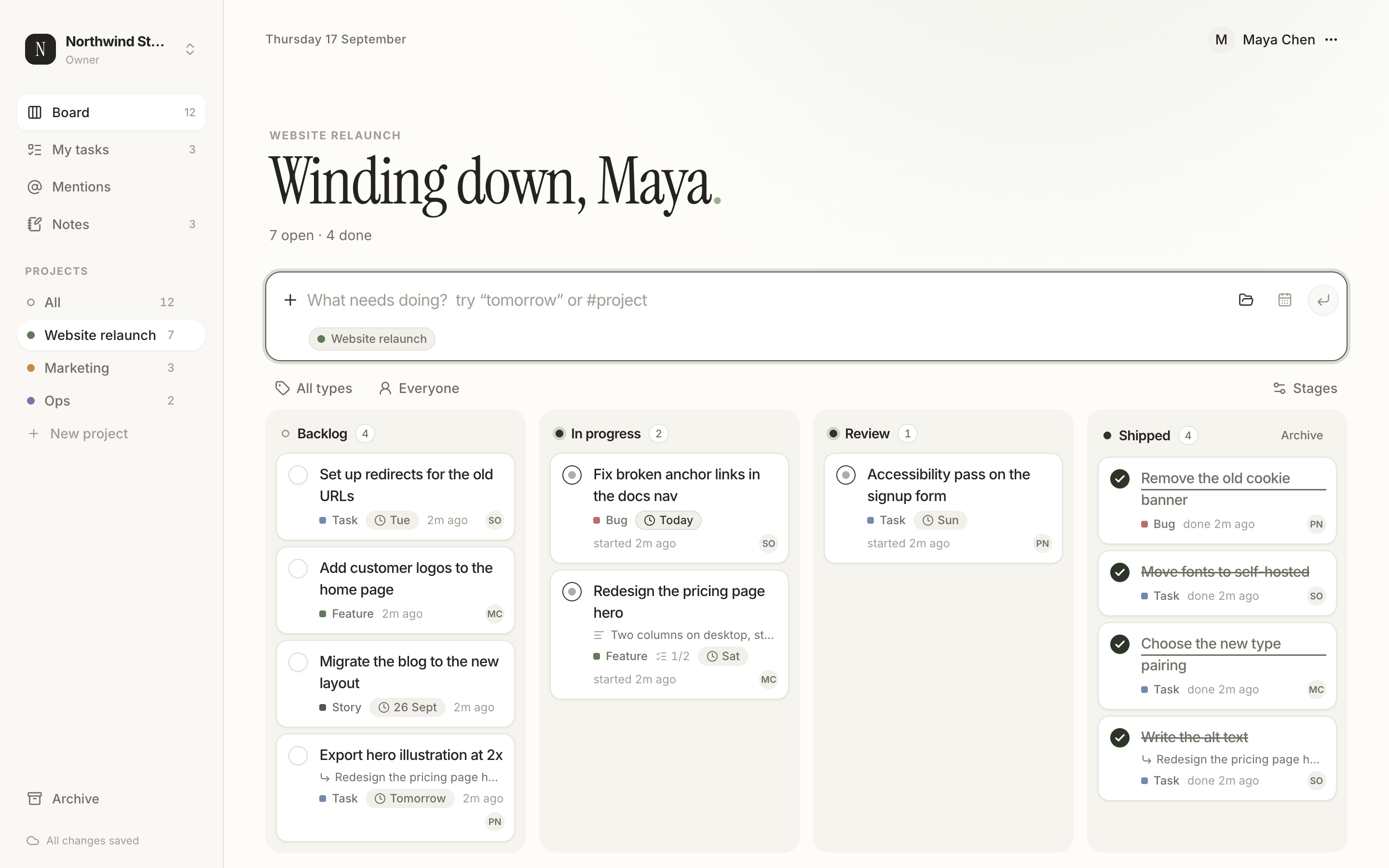
Every project starts with To do, In progress and Done. Rename them, add Backlog, Review or Shipped, up to twenty. Each stage has a category, so Dayboard still knows what counts as finished.
Task board for small teams
Dayboard is a quiet place to write down today's work and walk it from to do, to in progress, to done. One line to capture a task. One drag to move it. Notes beside the board, and a team when you need one.
Runs in the browser. Nothing to install. A personal board comes with every account.
Capture
Write the task, press Enter, and it's on the board. Add #project to file it somewhere else. Say tomorrow, fri, next week or sep 20 and Dayboard turns it into a due date. A chip shows what it understood, and one click keeps the words as words instead.
What's on the board
Every project starts with To do, In progress and Done. Rename them, add Backlog, Review or Shipped, up to twenty. Each stage has a category, so Dayboard still knows what counts as finished.
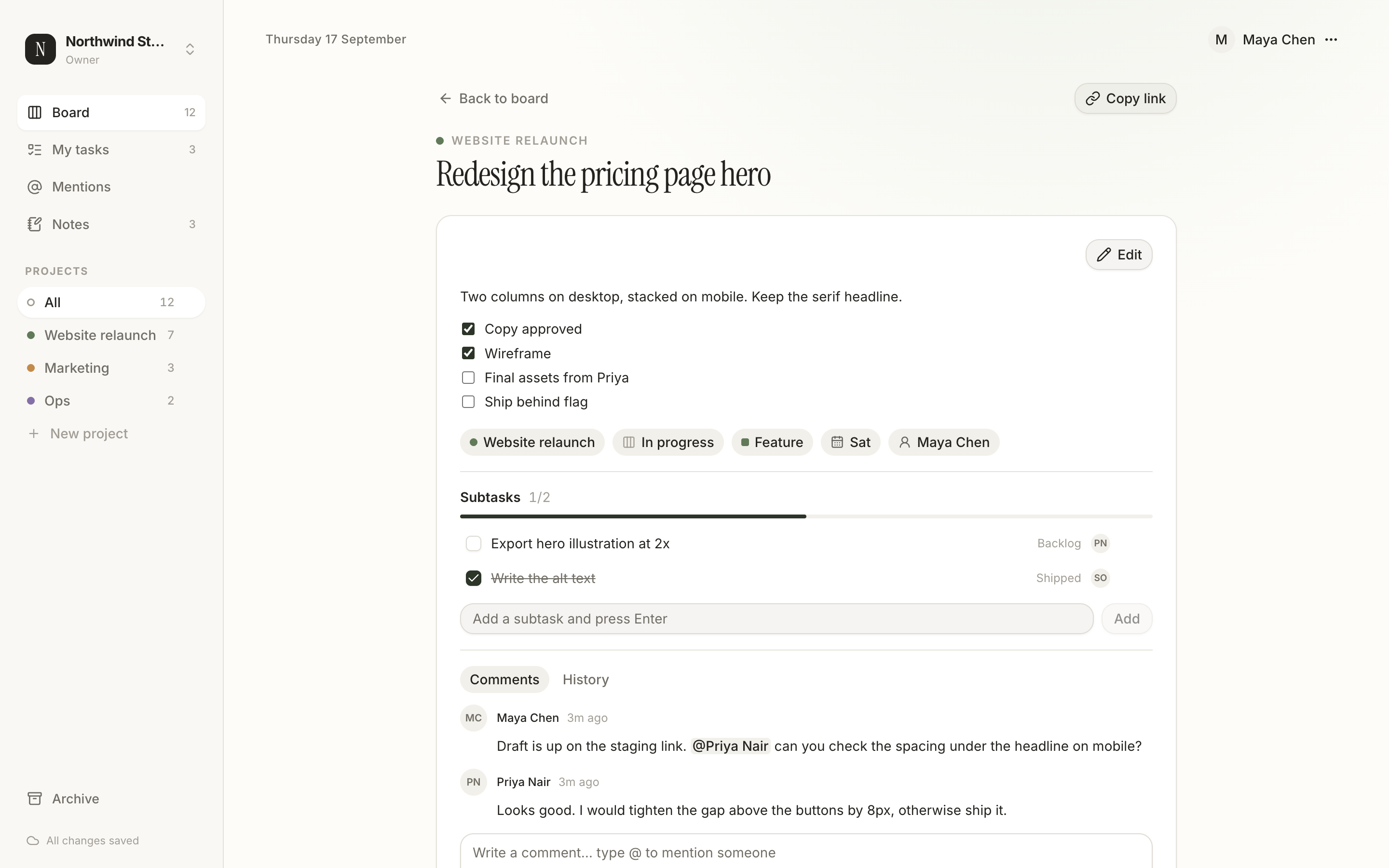
Break a task into up to a hundred subtasks, each with its own stage, assignee and due date. Comments and a full history live on the task, so the why stays next to the what.
Type @ in a comment to bring someone in. They get an email, and a Mentions view lists everything addressed to them, newest first. Switch off the emails you don’t want.
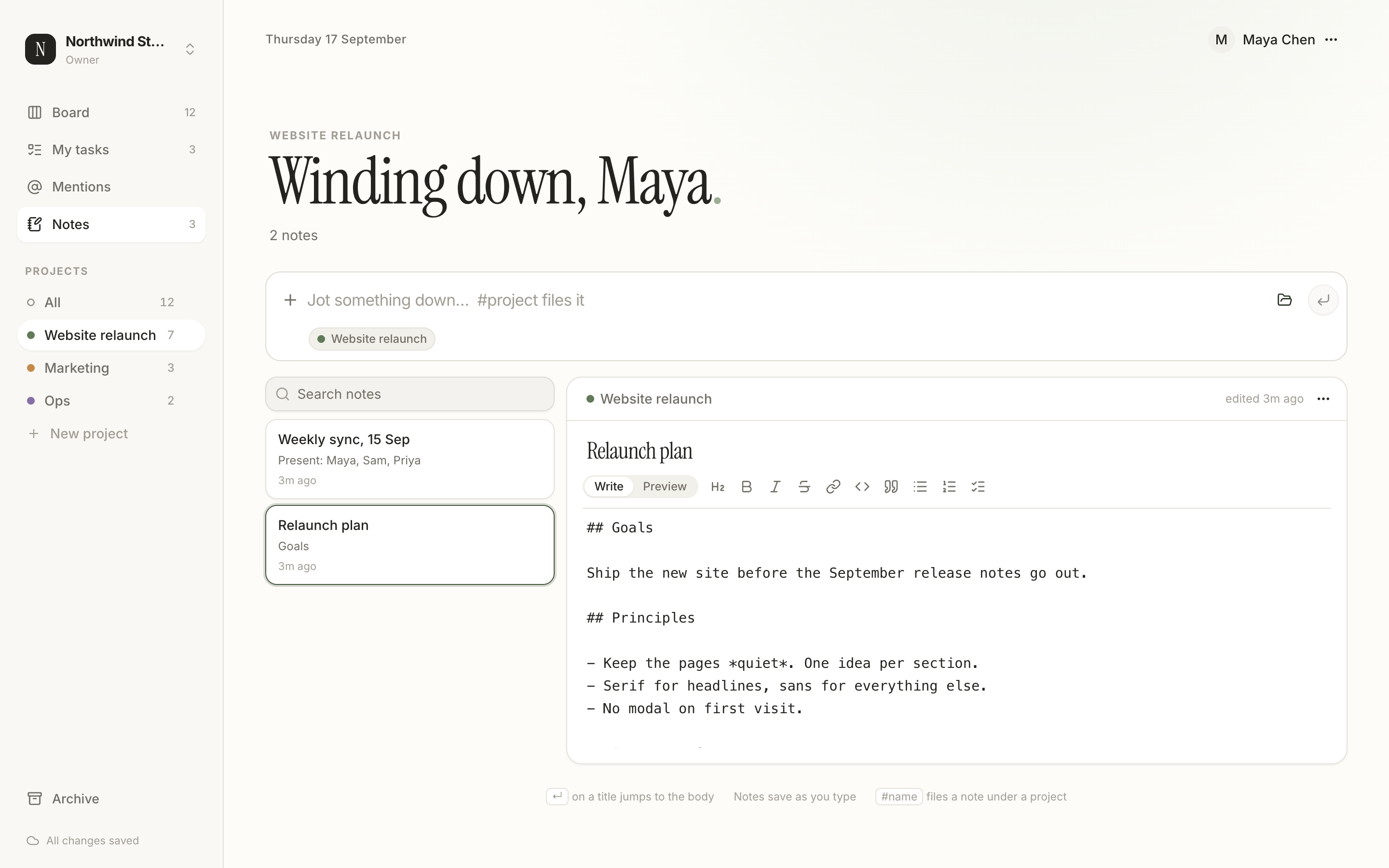
Every project has a notes page. Markdown with a toolbar, live preview, checklists you can tick while reading, and search across titles and bodies. It saves as you type.
A board of everything assigned to you, one section per project, with a progress ring for your share of the work. The sidebar keeps a count of what’s still open.
Invite people by email. Guests read, members edit, admins manage projects and people, owners can hand it all over. A personal board is always yours alone.
A task, opened
Click a card and it opens in a window: title, description in Markdown, project, stage, type, due date and assignee. Subtasks, comments and history sit underneath. Every task has its own address, so a link in a chat or an email opens it straight away.
Notes
Meeting notes, plans, half-formed ideas. Jot a title, press Enter, and start writing. Pin the ones that matter. Notes belong to a project, just like tasks, so the board and the reasoning behind it stay together.
How it works
Name, email, password. A personal board is ready before the confirmation email arrives.
Type what needs doing. Move cards as the day goes. Tick them off, then archive the done column when it’s full.
Create an organization and invite people by email. Assign tasks, mention each other, and keep one shared board.
Saves as you go
Changes show instantly and are sent in the background. If the server says no, the board reloads so you never see something that didn’t stick.
Always current
The board refreshes when your tab comes back into focus, when the connection returns, and every minute while it’s open.
Nothing to install
A fast single-page app in the browser, served from Cloudflare’s edge, with the same address on your laptop and your phone.
Questions
Make a board, type three things, move one to done. That's the whole onboarding.